

Boost (http://switch.dl.sourceforge.net/project/boost/boost/1.56.0/boost_1_56_0.7z)
A compiler (Visual C++ 2010)
Android NDK (http://dl.google.com/android/ndk/android-ndk32-r10b-windows-x86.zip)
Download and extract Boost (ex: D:\boost; you can extract only boost, libs, tools subdirs and the files in the main dir).

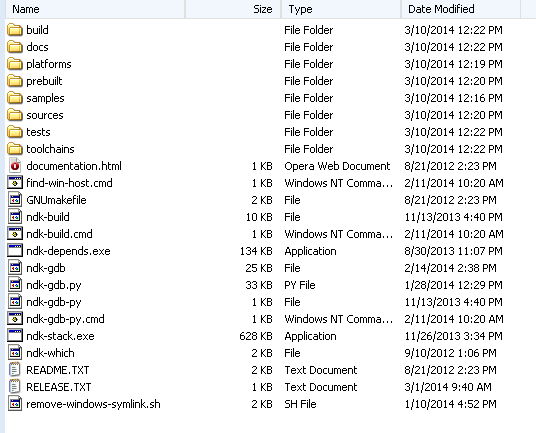
Download and unzip Android NDK (ex: D:\android-ndk-r10b).
Go to Boost_dir\tools\build\src and create a new file,
user-config.jam
Open that file with a text editor and add:
import os ; androidNDKRoot =D:/android-ndk-r10; using gcc : android : $(androidNDKRoot)/toolchains/arm-linux-androideabi-4.8/prebuilt/windows/bin/arm-linux-androideabi-g++ : <compileflags>--sysroot=$(androidNDKRoot)/platforms/android-9/arch-arm <compileflags>-mthumb <compileflags>-Os <compileflags>-fno-strict-aliasing <compileflags>-O2 <compileflags>-DNDEBUG <compileflags>-g <compileflags>-lstdc++ <compileflags>-I$(androidNDKRoot)/sources/cxx-stl/gnu-libstdc++/4.8/include <compileflags>-I$(androidNDKRoot)/sources/cxx-stl/gnu-libstdc++/4.8/libs/armeabi/include <compileflags>-D__GLIBC__ <compileflags>-D__arm__ <archiver>$(androidNDKRoot)/toolchains/arm-linux-androideabi-4.8/prebuilt/windows/bin/arm-linux-androideabi-ar <ranlib>$(androidNDKRoot)/toolchains/arm-linux-androideabi-4.8/prebuilt/windows/bin/arm-linux-androideabi-ranlib ;
Save and close that file.
Open Visual Studio Command Prompt.
Go to boost dir (cd D:\boost).
Execute:
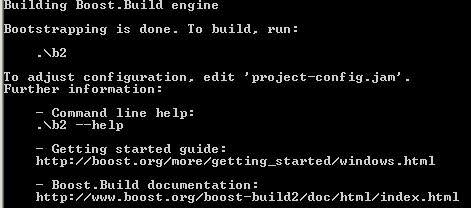
bootstrap
Execute:
 b2 ^
 --without-python ^
 --prefix=.\out\ ^
 --build-dir=.\build ^
 variant=release ^
 link=static runtime-link=static ^
 toolset=gcc-android target-os=linux ^
 threading=multi --stagedir=android stage
If everything went well, you will have the libs in "android" folder.

